For the Mac · Apple silicon
LingMark
Your notes are files. They stay that way.
A Markdown notes app that keeps everything as plain files in a folder you choose, and never rewrites a line you did not touch. Rich editing, wiki links and attachments in the syntax your notes already use, a knowledge graph, boards and built-in git.
Version 1.0.4 · 17 MB · Notarised by Apple · Free, no account
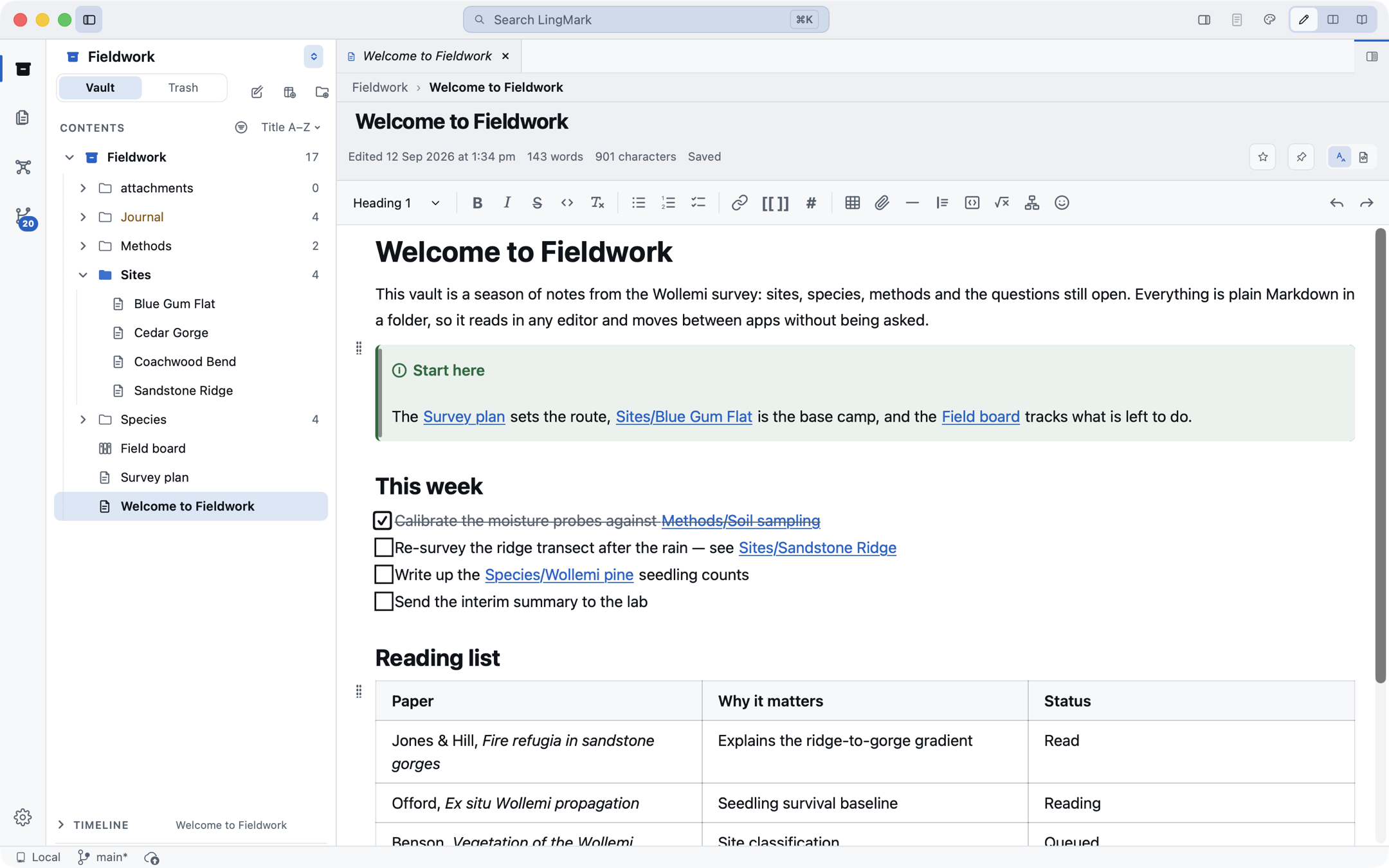
Writing
A rich editor that leaves your Markdown alone
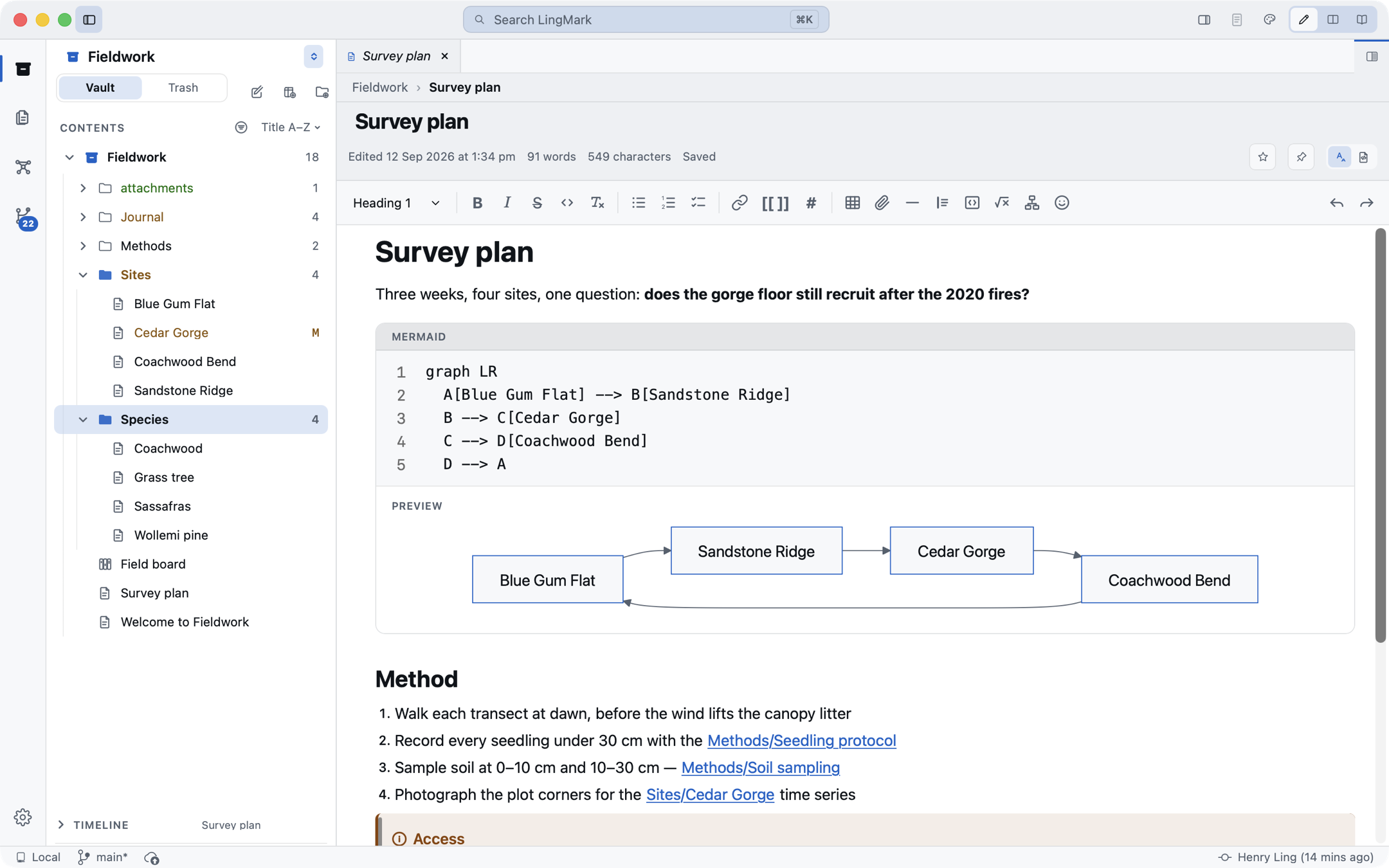
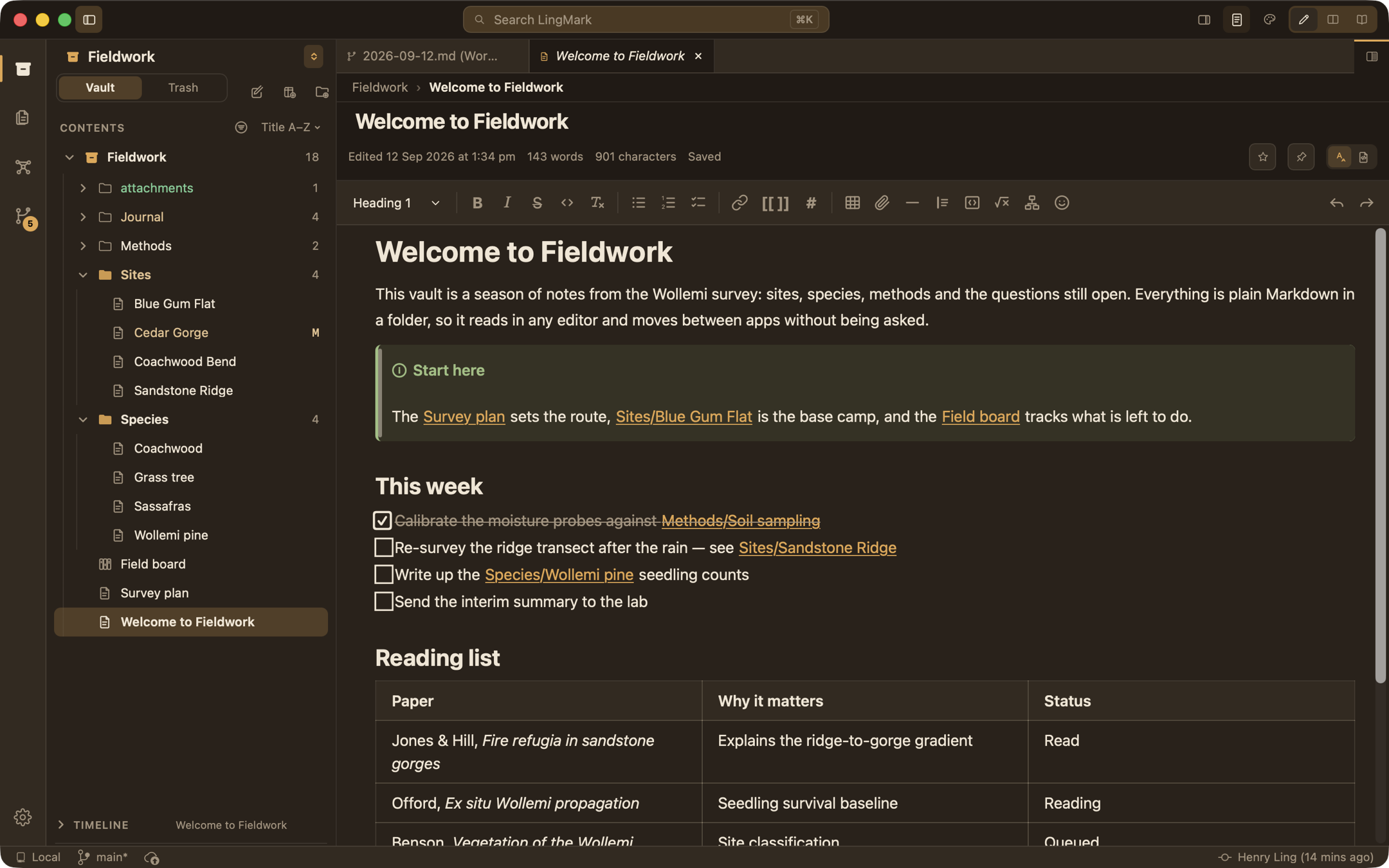
Headings, lists, tasks, quotes, callouts, tables, code, maths and Mermaid diagrams, shown as they will read and written as plain Markdown underneath. Edit one paragraph and the rest of the file keeps its exact spelling, byte for byte.
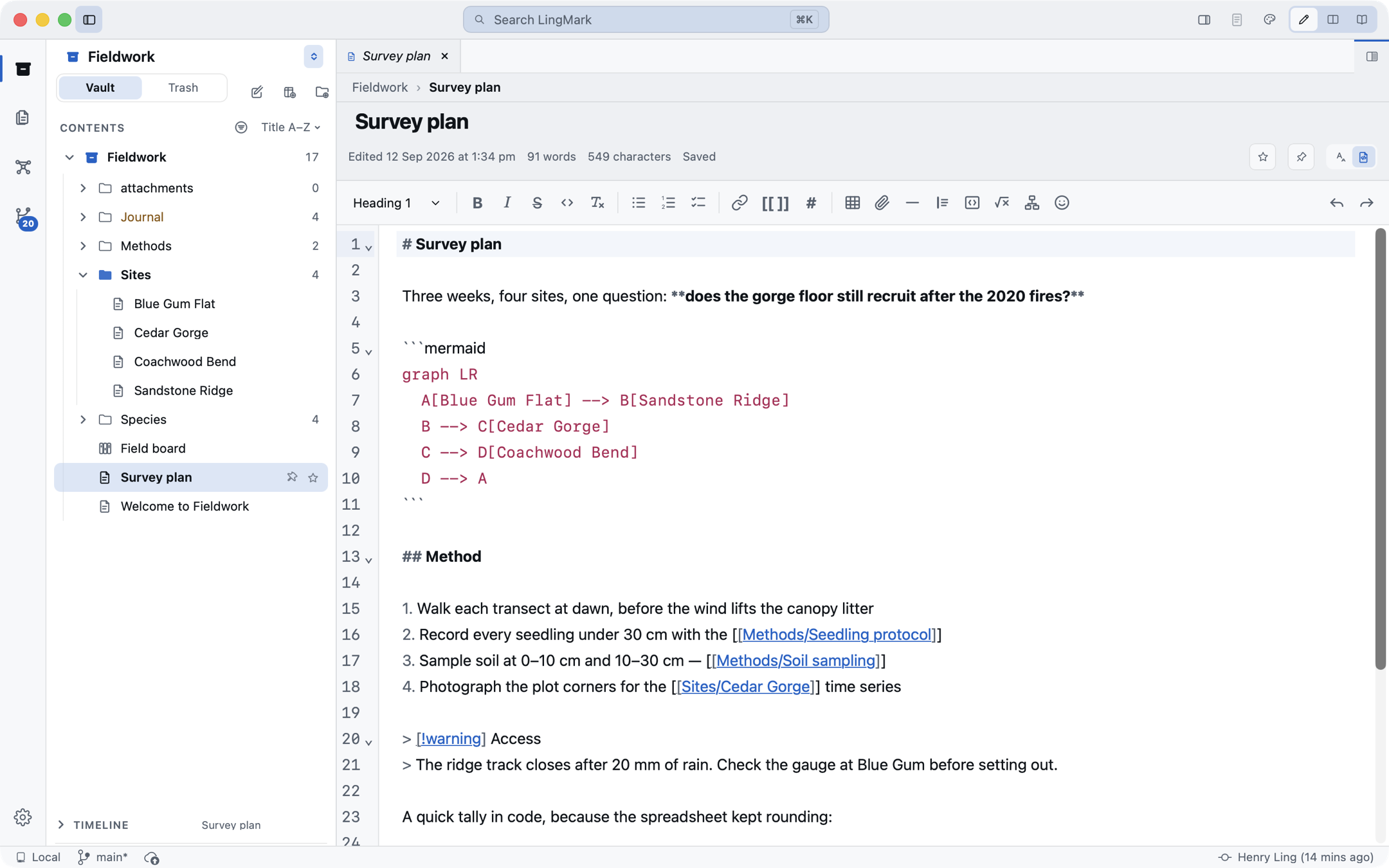
- Two editors, one file: switch to the Markdown source view with syntax colours, folding, and find and replace
- Editor, Split and Reader layouts; the halves of a split scroll together
- The shortcuts you already know in the Format menu, a
/menu at the caret, wiki links and tags completed as you type
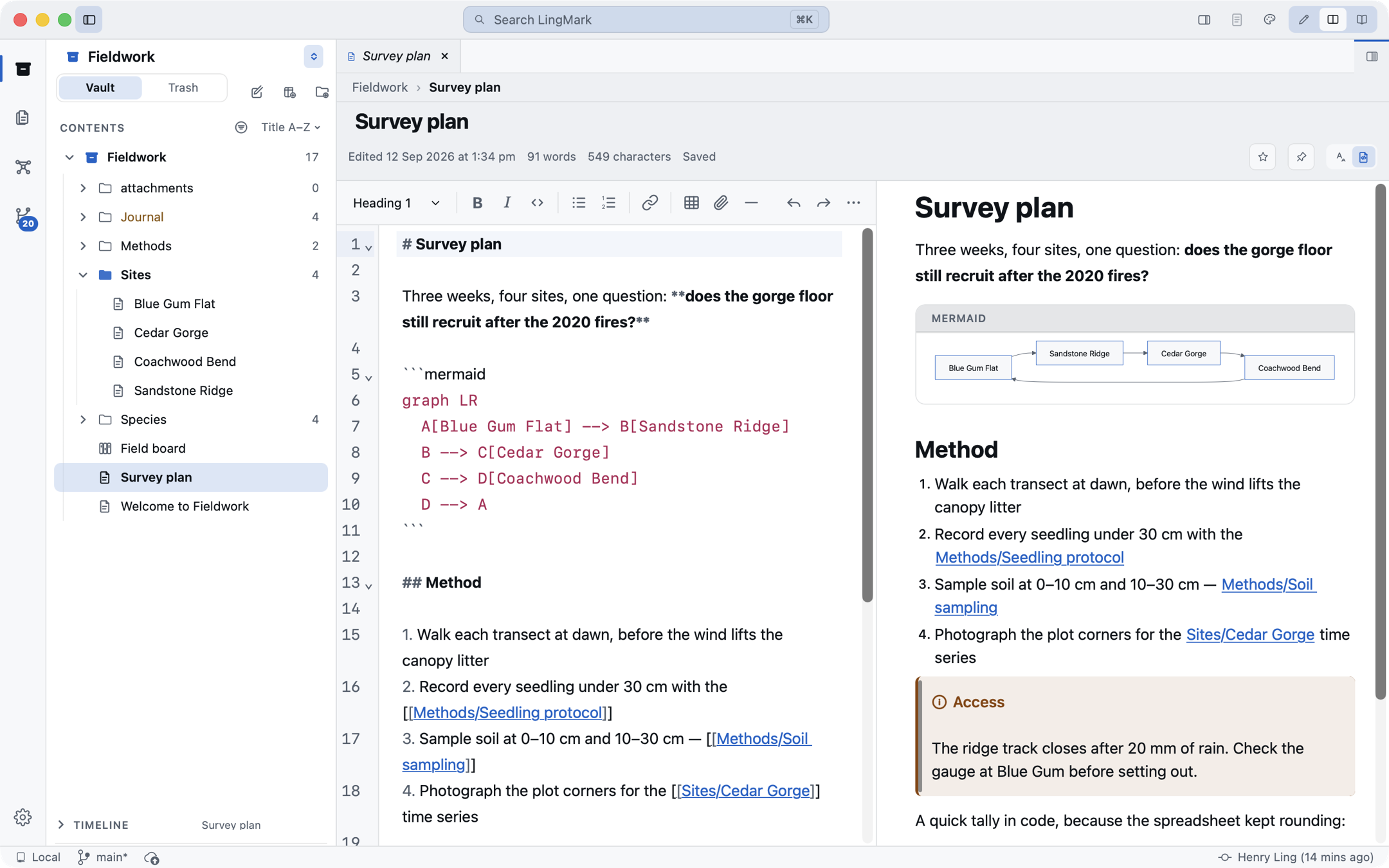
Pictures and files
Attachments that follow the rules your vault already has
Where a file lands and how its link is written are settings, in the same terms other Markdown vault apps use, so a folder you already keep opens as it is and can stay shared. Attach from a picker, a paste or a drag; pictures draw inline and resize by a corner; PDFs, audio and video play in place.
- Remove never deletes. Removing a picture edits the note and leaves the file; deleting asks first
- Rename or move a file and every link to it across the vault is updated, with the dialog you already know
- Wiki links, embeds and callouts in the syntax your notes already use
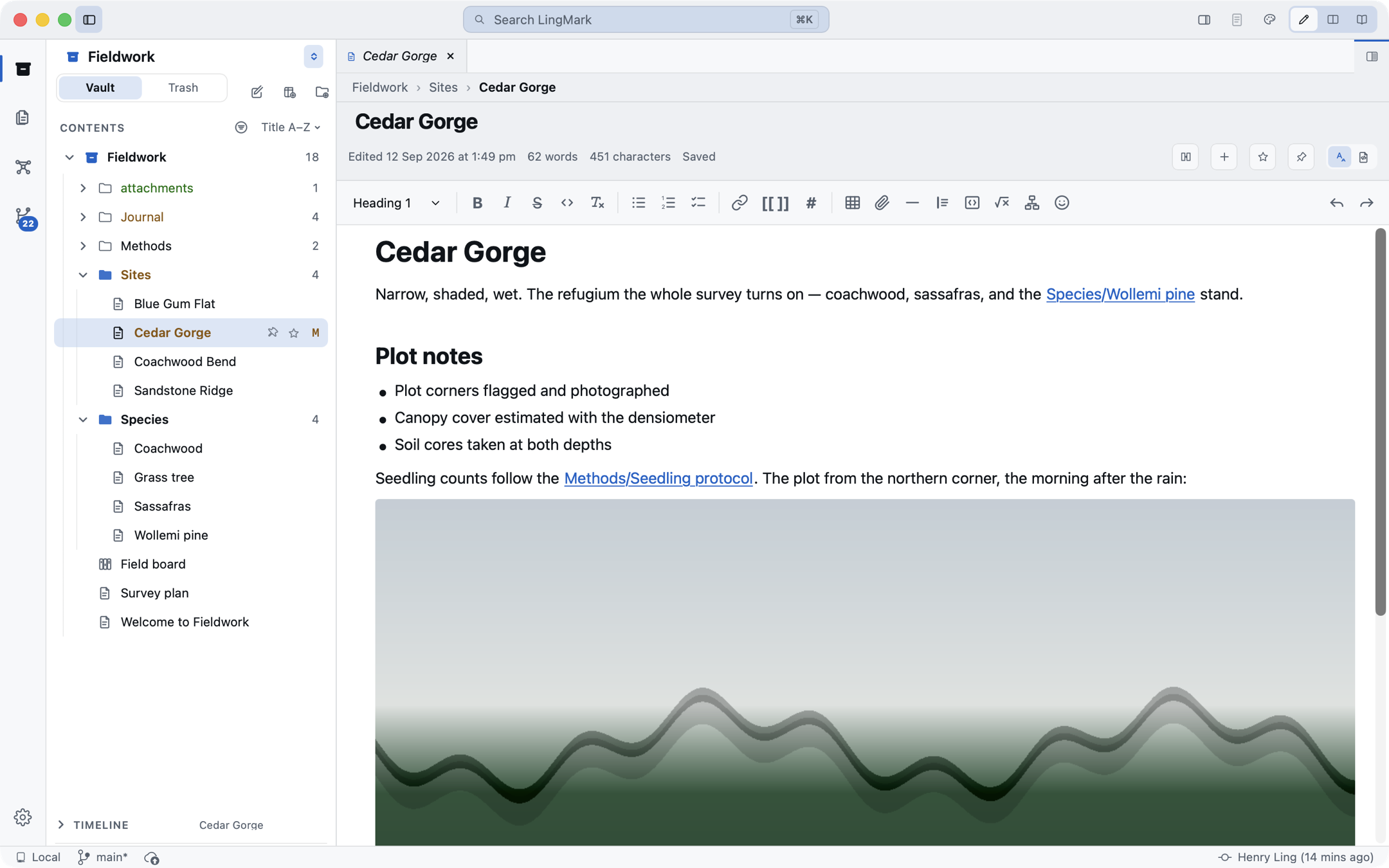
The graph
See how your notes connect
A knowledge graph of the whole vault, and a note's own neighbourhood as its own tab. Filters, colour groups, display and force controls, and a few things you will not find elsewhere: named clusters, a note you can hold in place, the shortest path between two notes, and an animation that grows the graph from your oldest note to your newest.
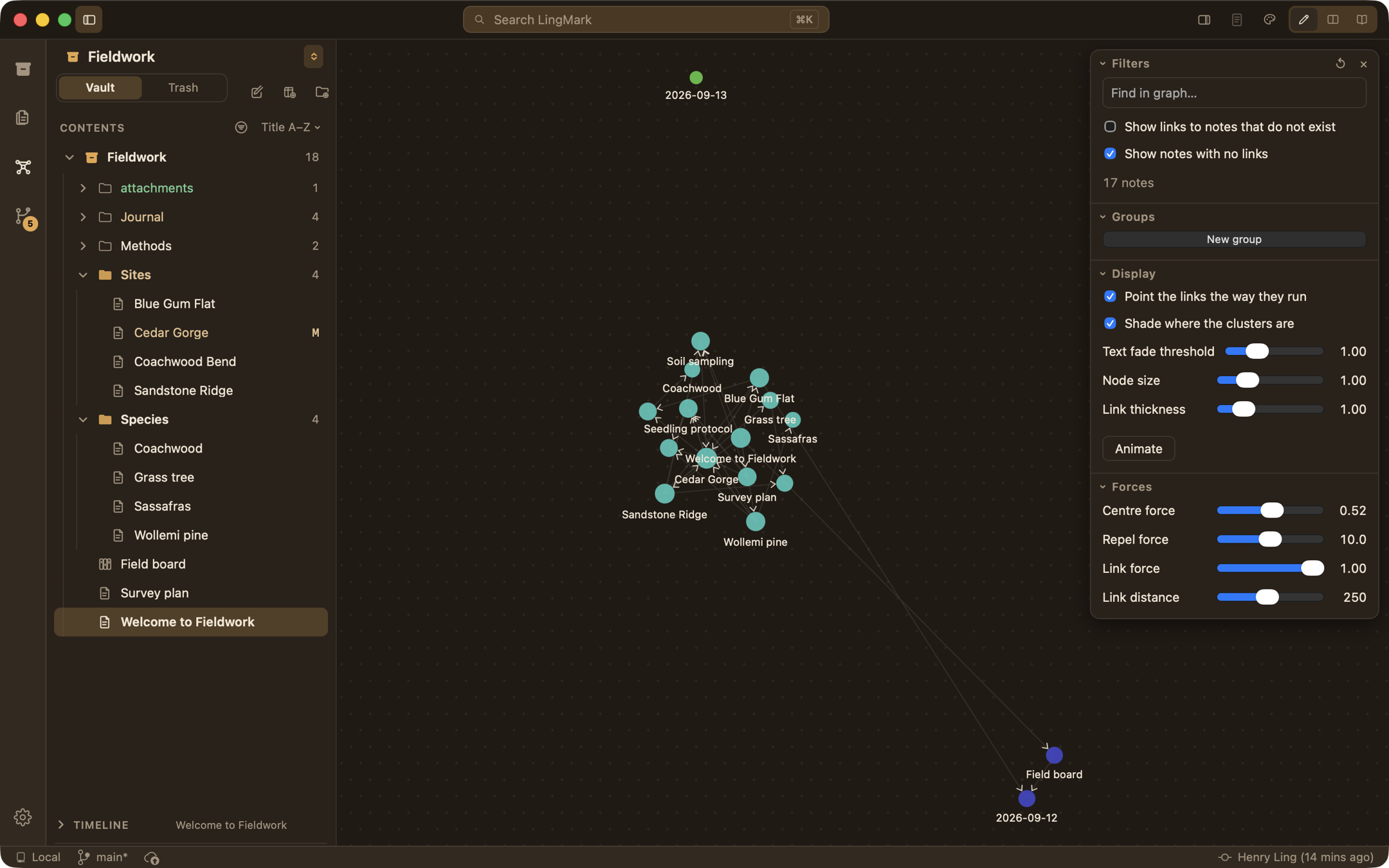
Source control
git, built in, with nothing to install
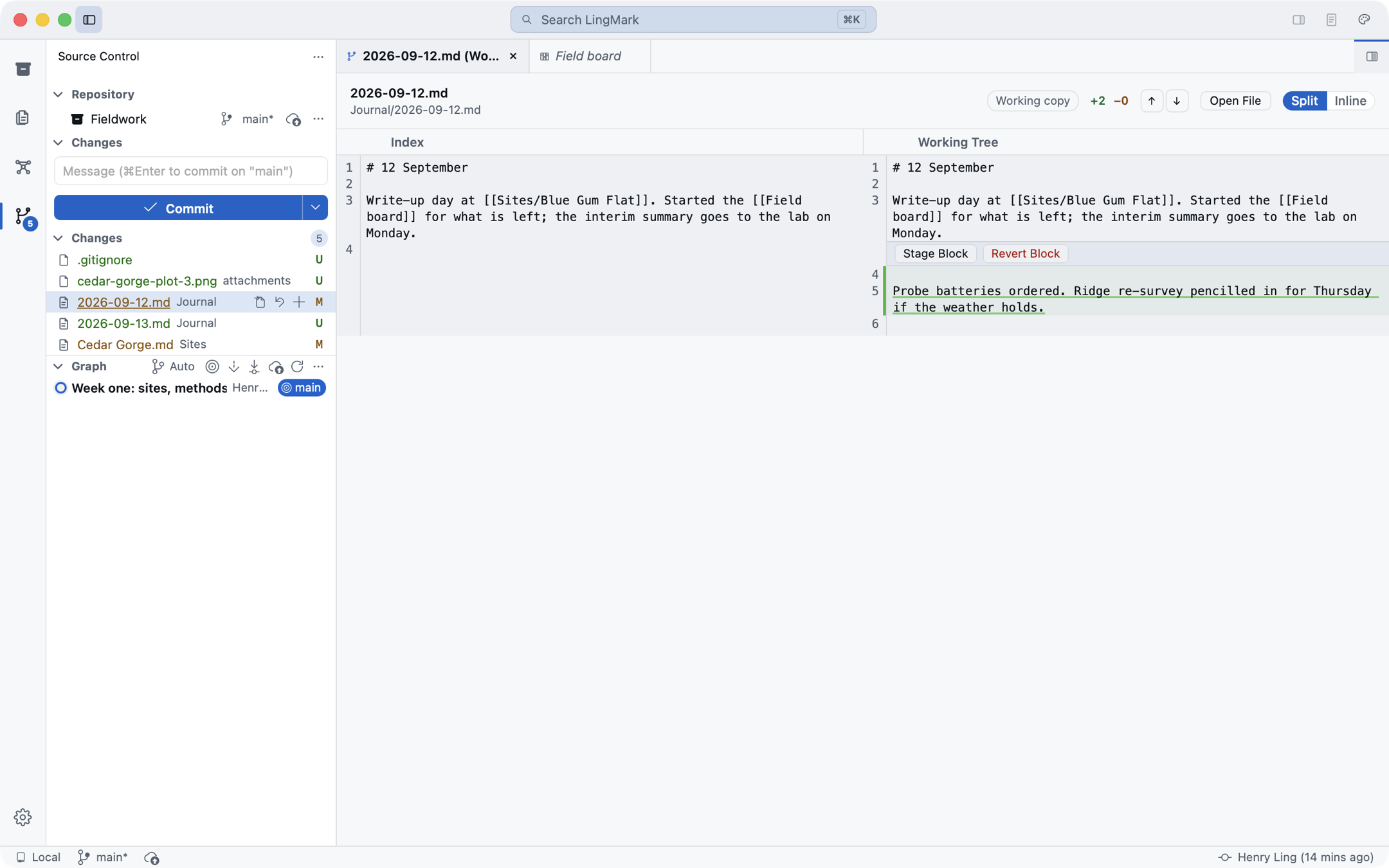
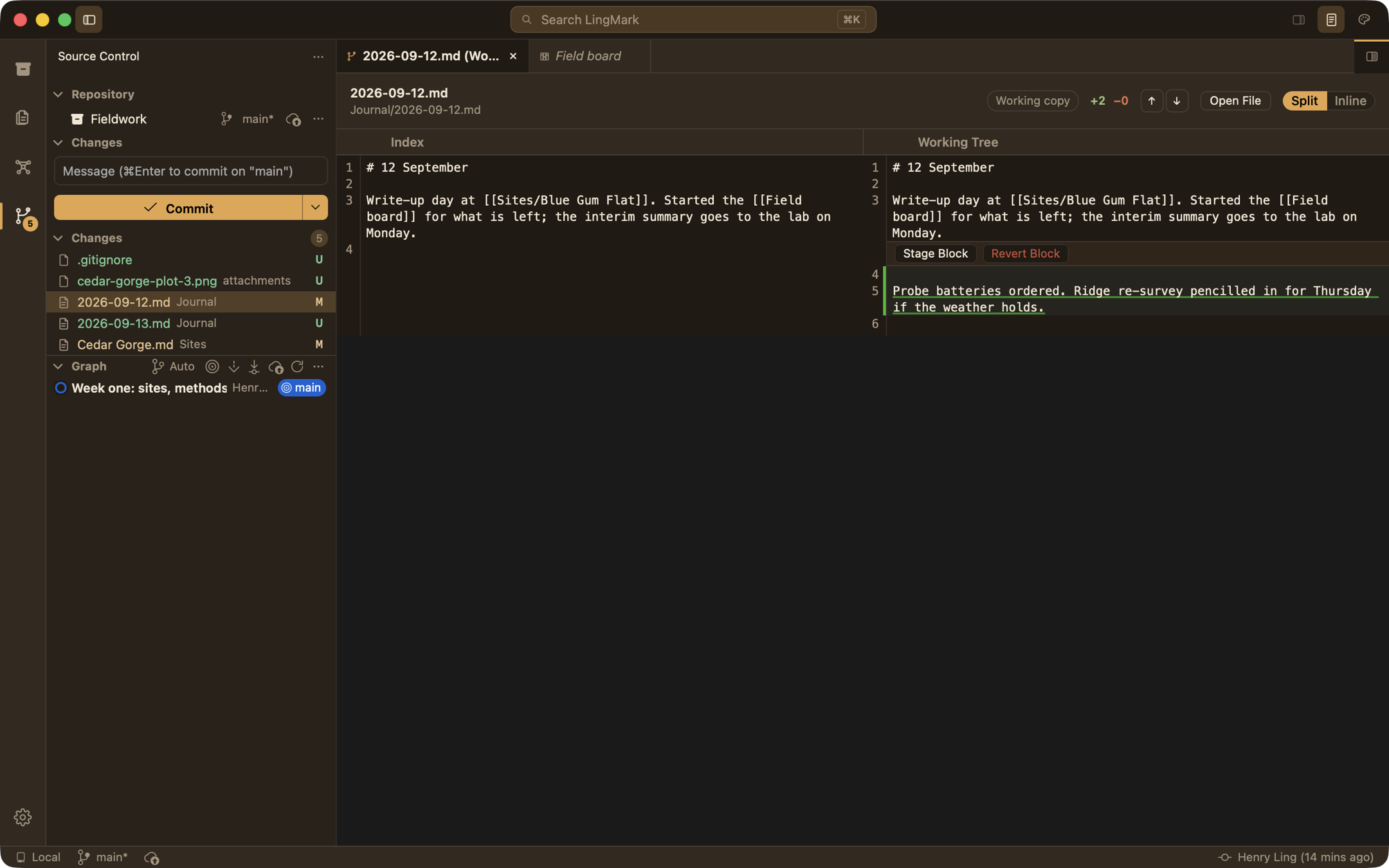
A vault that is a git repository gets full source control inside the app: changes and staging, commit and push, pull three ways, branches and remotes, a side-by-side diff, history, a merge editor, blame and a status bar. Sign in to GitHub and publish a repository without leaving your notes.
- Uncommitted lines marked in the editor's gutter
- Credentials kept in the macOS keychain
- No
giton your Mac needed: it runs inside the app
Boards
A note that is a board
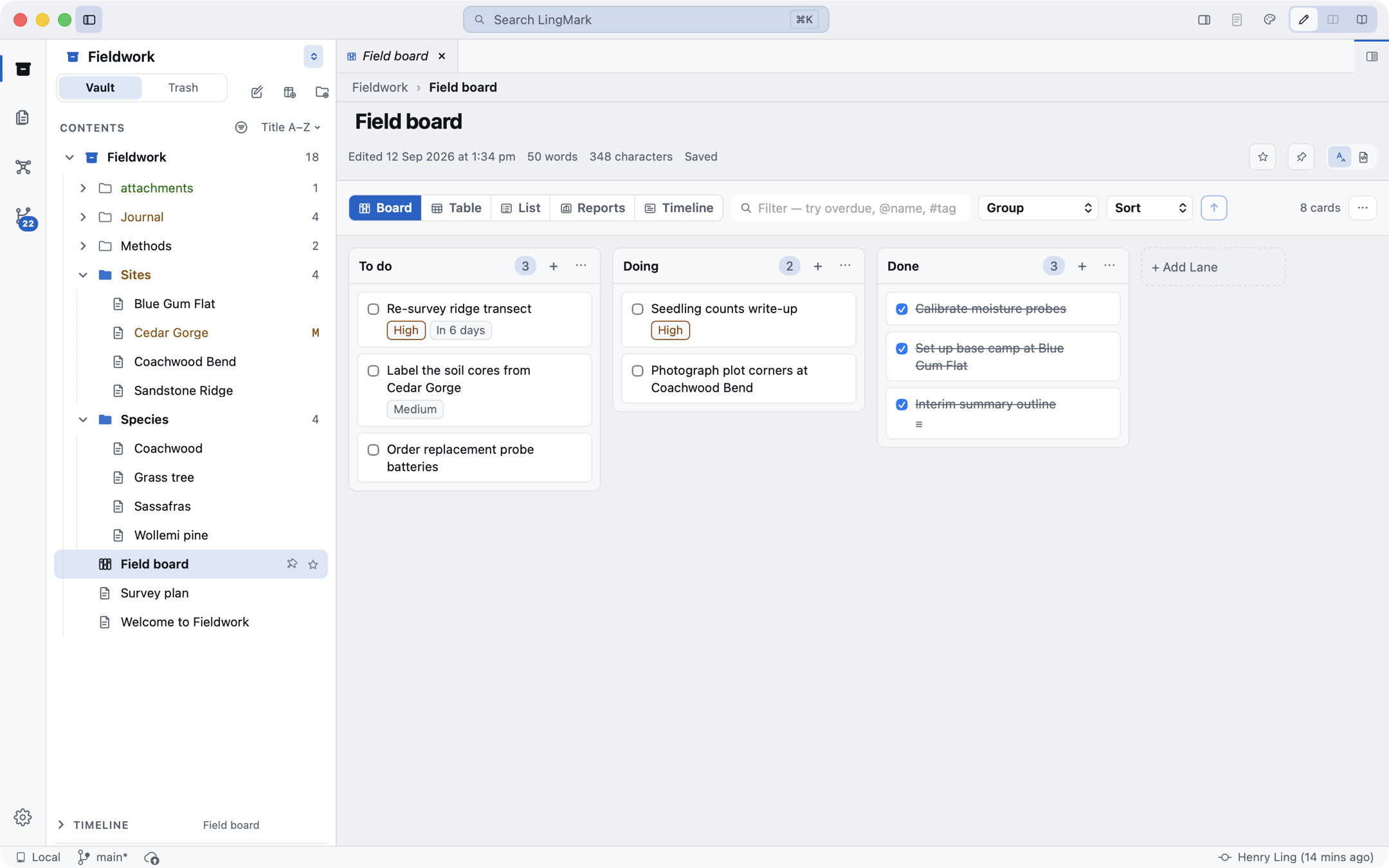
A note carrying the Kanban marker opens as a board: lanes, cards, drag between them, work-in-progress limits, sprints and an archive, with board, table, list, reports and timeline views. Card metadata such as due dates and priorities is read and written in the dialect the file already uses.
Private by design
Nothing leaves your Mac unless you send it
LingMark's only connection of its own is a check for new versions, which sends nothing about you and can be turned off in Settings. There is no account, no analytics and no telemetry. Everything else that reaches the network is something you start: the git remotes you add, the GitHub sign-in, and the links you open. The Contact Us form shows you every word before it goes, and includes diagnostics only if you tick the box, never anything from your vault.
And the rest
Everything else a notes app should have
Search that understands every script
A quick switcher, full-text search with a query language, and results in Chinese, Japanese, Thai, Lao, Khmer and Burmese.
A command palette
Every command with its keys, your recent ones first. The menu bar, the palette and the keyboard are one list.
Six themes and Paper Mode
Daylight, Nocturne and Lamplight; Cherry, Retro White and Retro Black. The window's own chrome follows the theme.
Read any Markdown file
Open a file from anywhere on your Mac in the Reader. It is never changed; Import to Vault copies the text in.
Six thousand notes, one pass
A big vault opens in one read. Renaming a note updates every link to it, journalled so a crash half-way is recoverable.
Export and publish
A note as a standalone HTML page, or a vault as a static website with themes, a sitemap and a 404 page.
A closer look
In both of its faces
Daylight by day, Lamplight at night. Toggle the theme at the top of this page to see the pictures switch.
Good to know
Questions, answered
Where are my notes?
In the folder you chose, as ordinary .md files. LingMark adds one folder of its own, .lingmark, for its bookkeeping. Delete the app and your notes are still there, readable by anything.
Can I open a folder I already keep in another Markdown app?
Yes. Choose Open Folder as Vault and pick it. Wiki links, embeds, callouts, tags and attachments are read and written in the syntax those notes already use, so nothing needs converting, and you can keep using both apps on the same folder.
Does it change files I did not edit?
No. The rich editor keeps every untouched block's exact spelling, including line endings and a missing final newline. Before release the app was used for an hour on a vault under git, and the only files that changed were the ones edited, by exactly the edited line.
What does it need?
A Mac with Apple silicon running macOS 13 or later. Intel Macs are not supported in 1.0. The download is a notarised disk image: open it, drag LingMark to Applications, and the first launch shows macOS's usual confirmation for an app from the internet.
Is it free?
Yes. Every feature in 1.0 is free, with no account and no subscription. Sync between devices, when it arrives, will be a separate paid service; the app stays free.
Does it sync?
Not yet. Built-in git is a real answer for many people today: commit and push to any remote, and pull on another Mac. End-to-end encrypted sync between devices is built on the client and arrives with the iPhone and iPad app.
Why not the Mac App Store?
A folder-based app that runs git inside itself fits badly in the App Store sandbox, and direct download is how many Mac apps of this kind ship. The download is signed with a Developer ID and notarised by Apple, so macOS checks it the same way.
Free download
LingMark 1.0.4 for Mac
A notarised disk image for Apple silicon Macs running macOS 13 or later. From 1.0.4, LingMark updates itself; on an earlier version, download this one once.
First open
- Open the disk image and drag LingMark to Applications.
- Launch it. macOS says it was downloaded from the internet and has been checked by Apple; click Open.
- Choose a folder of Markdown files, or create a new vault.